BattleLens

For Pokémon games on PC emulators

Know your opponent
before you make a move.

BattleLens reads the opponent's name on screen and shows its types, weaknesses, stats, abilities and catch rate right next to your emulator. Any emulator, any generation.

Free and open source · Windows 10/11 (64-bit) · No admin rights needed

BattleLens card for Stufful: types, catch rate, matchup against your Scorbunny, weaknesses and evolution

What it looks like in a real game

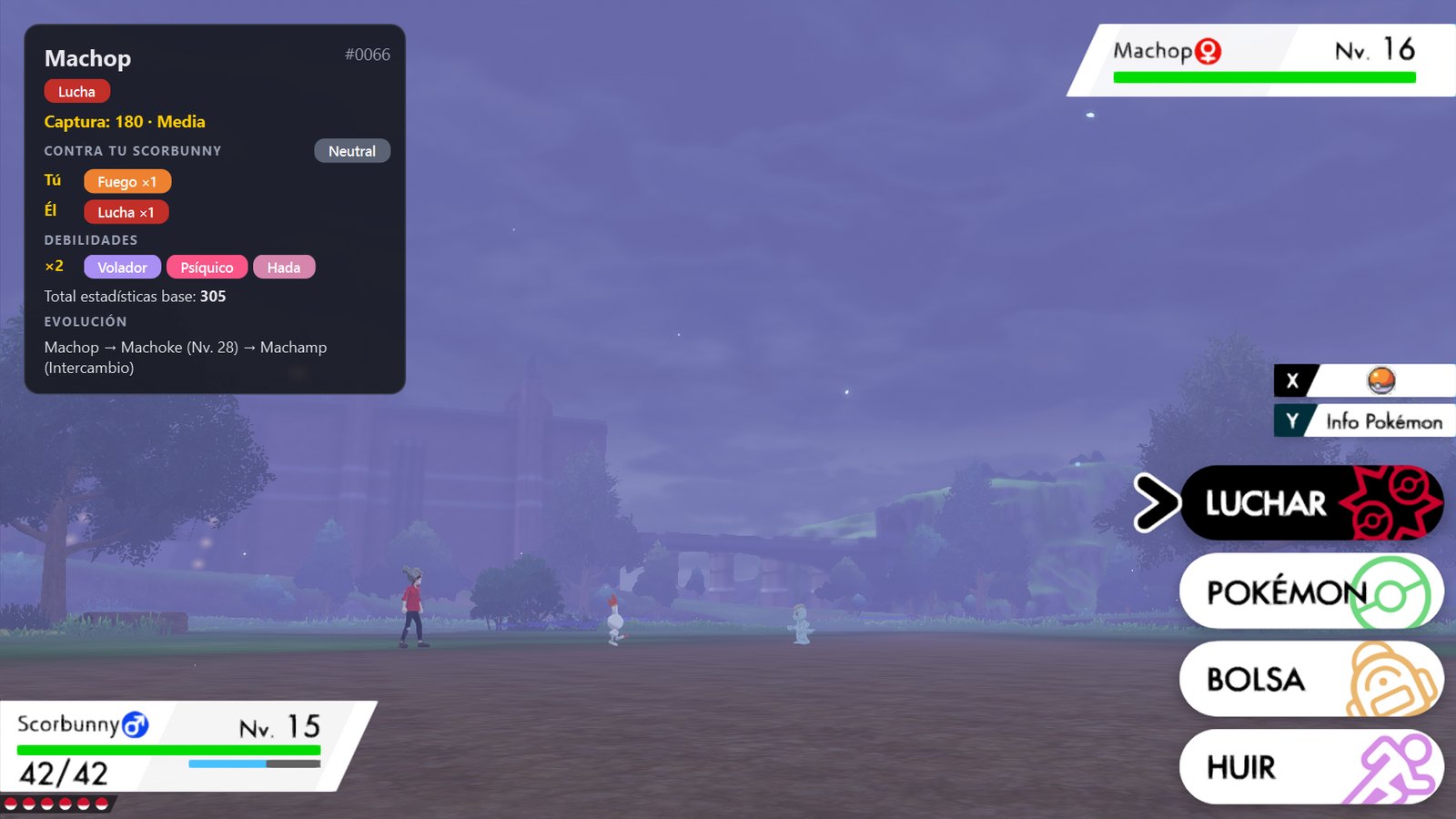
BattleLens recognised the wild Machop and your Scorbunny on its own and placed the card over a quiet corner of the screen.

Pokémon Sword battle against a wild Machop with the BattleLens card showing its type, catch rate, matchup against Scorbunny, weaknesses and evolution
Real game screenshot. Pokémon Sword © 2019 Nintendo / Creatures Inc. / GAME FREAK inc. The card is drawn by BattleLens.

How it works

  1. 1

    Pick your emulator

    mGBA, DeSmuME, melonDS, Citra, Switch emulators… BattleLens doesn't touch the game: it only looks at the window.

  2. 2

    Calibrate once per game

    In a battle, draw a box around the opponent's name. BattleLens detects the game from the window title and remembers it.

  3. 3

    Just play

    Every time a battle starts, the card pops up by itself and hides when the battle ends. No keys to press.

Two modes, one shortcut

Switch anytime with Ctrl+Alt+M.

Normal — adventure & catching

  • Compact card that barely covers the game
  • Catch difficulty front and center
  • Weaknesses, immunities and evolution
  • Advantage / disadvantage against your Pokémon
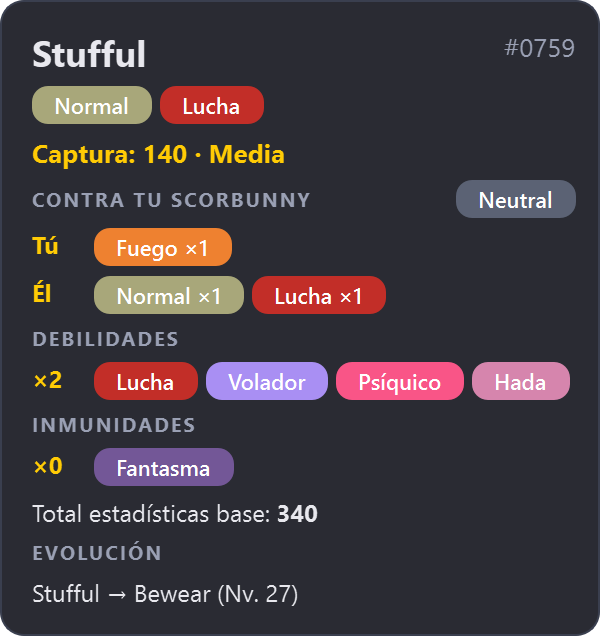
Normal mode card

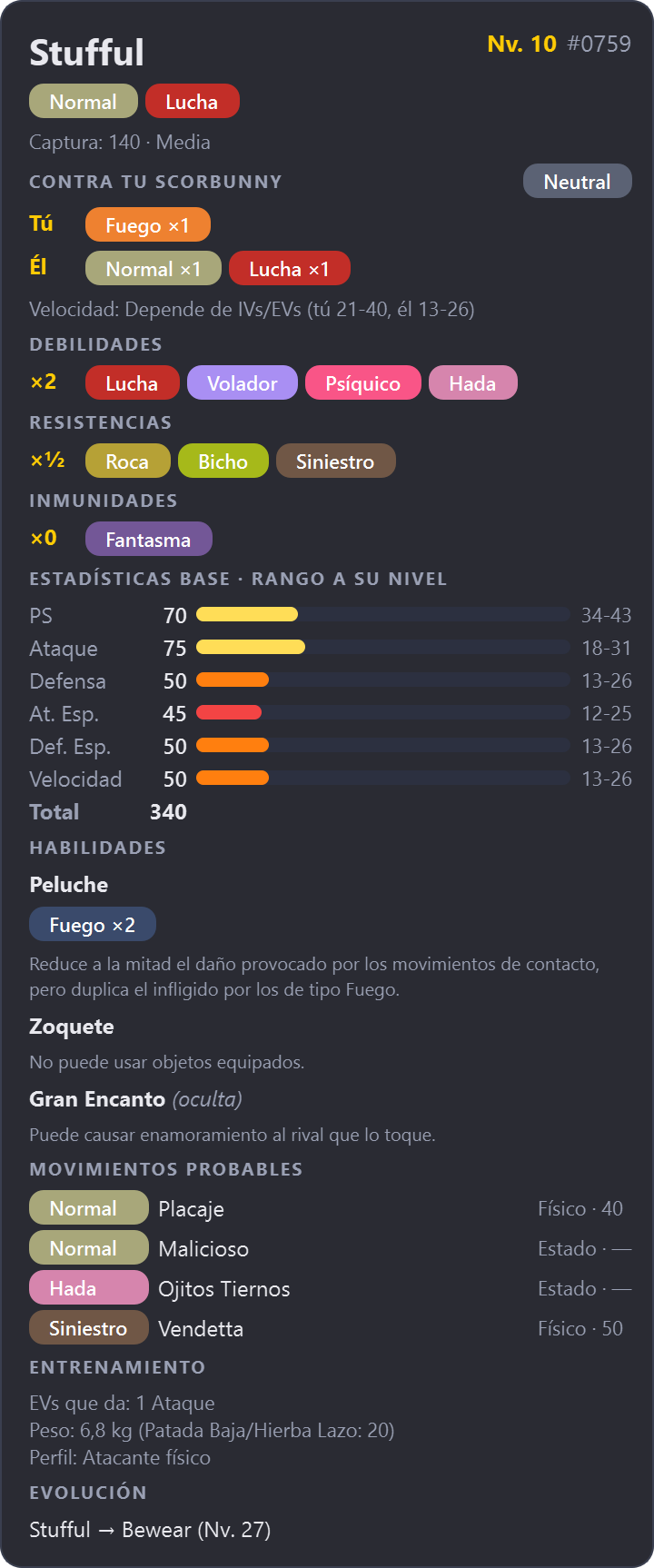
Competitive — battle data

  • Level and actual stats at that level (min–max)
  • Likely moves, flagged when they hit you hard
  • Who's faster, you or them
  • Abilities that change matchups (Levitate → Ground ×0)
  • EV yield, weight for Low Kick, stat profile
Competitive mode card with level, stat ranges, abilities, likely moves and training data

Double battles and your own Pokémon

Calibrate your Pokémon's name and the second opponent too: you get one card per opponent and an instant verdict for every turn.
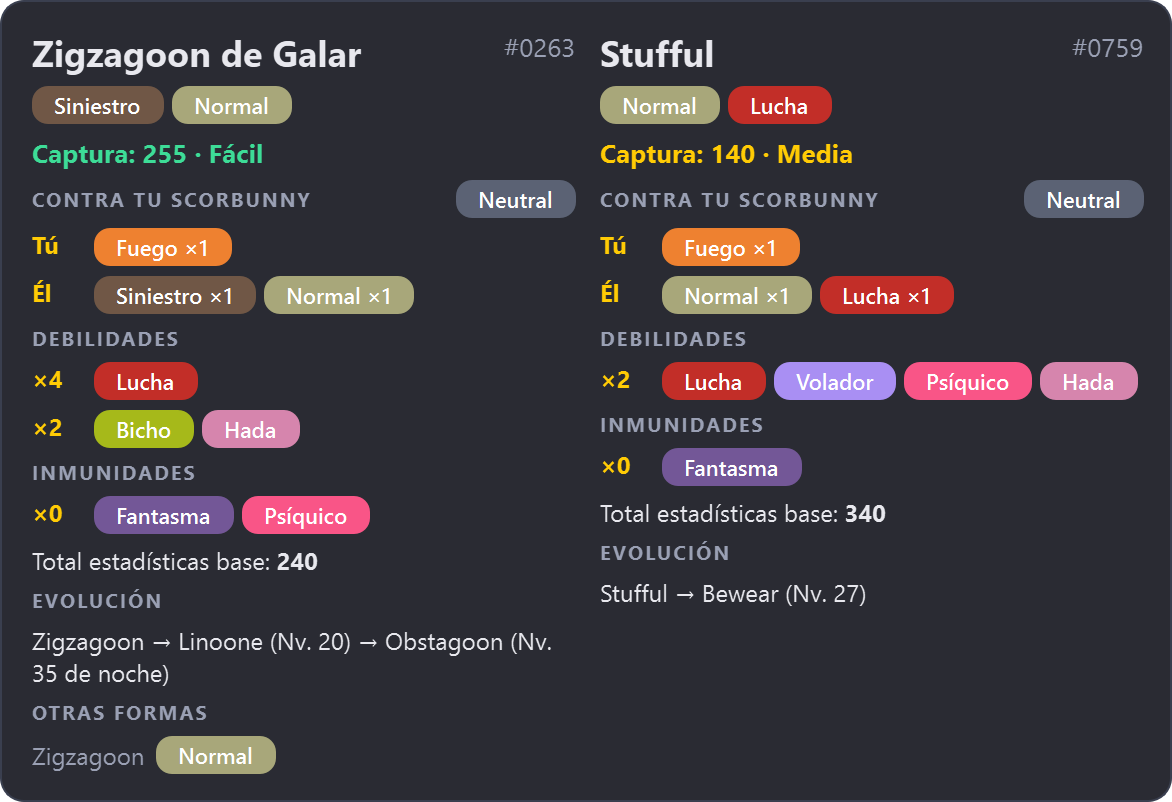
Double battle: Galarian Zigzagoon and Stufful cards side by side, each compared with your Scorbunny

Built for every Pokémon game

Any emulator

Reads the screen with Windows' own OCR, even when other windows cover the emulator.

Right for each generation

Regional forms (Alola, Galar, Hisui, Paldea), past types and the type chart of the game you're playing.

1,025 Pokémon, 5 languages

Names, types, abilities and moves in English, Spanish, French, German and Italian.

Private and offline

All data ships with the app. The only connection is an optional daily update check.

Install in a minute

  1. Download BattleLens-Setup from the latest release (or the portable ZIP).
  2. Run it — no administrator rights needed. If SmartScreen appears, choose More info → Run anyway (the app isn't signed with a paid certificate).
  3. Find the icon in the system tray, pick your emulator window and calibrate. The interface is in Spanish for now; the card data comes in 5 languages.