For adventuring and catching
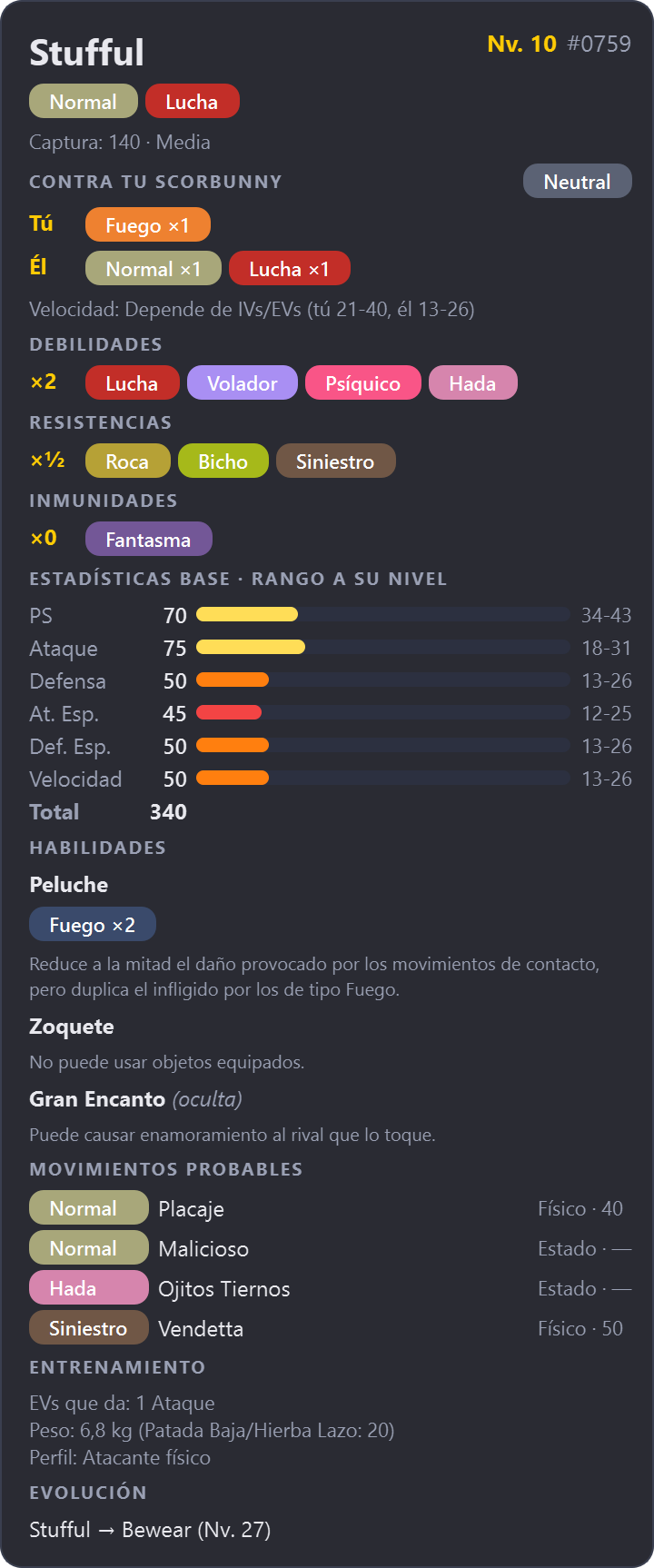
- Compact card that barely covers the game
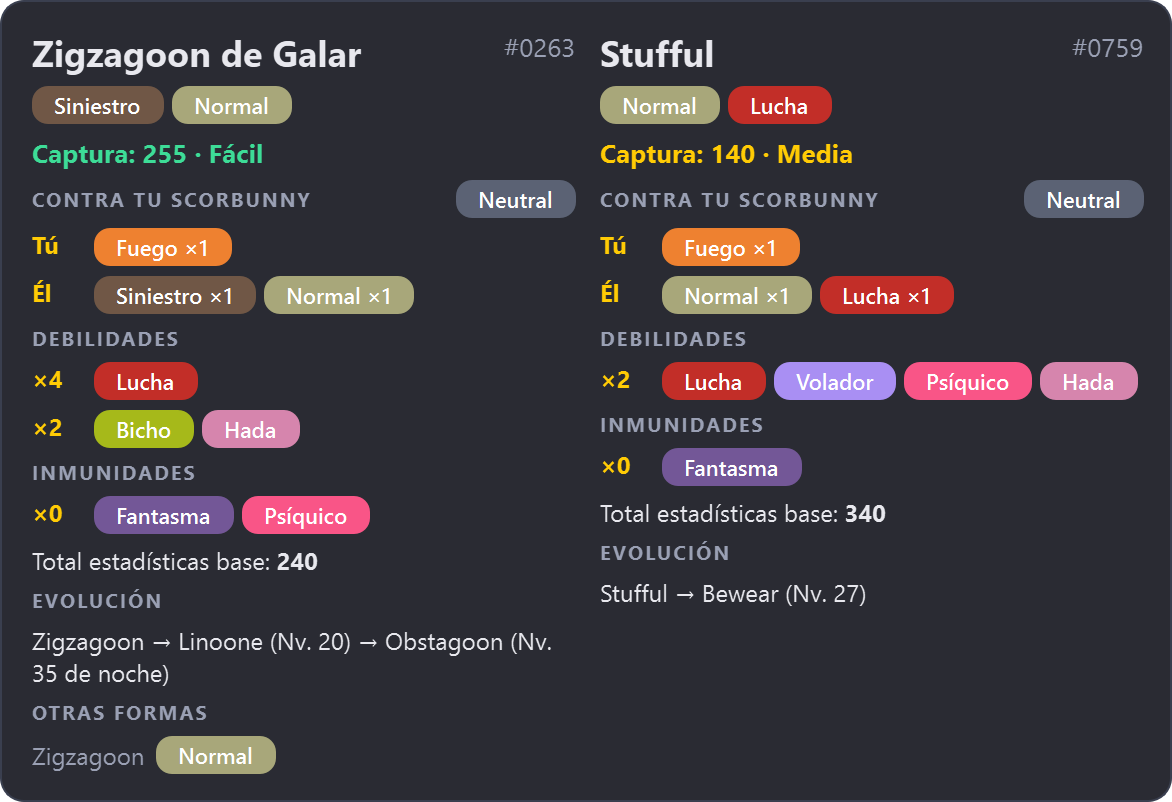
- Catch difficulty front and center
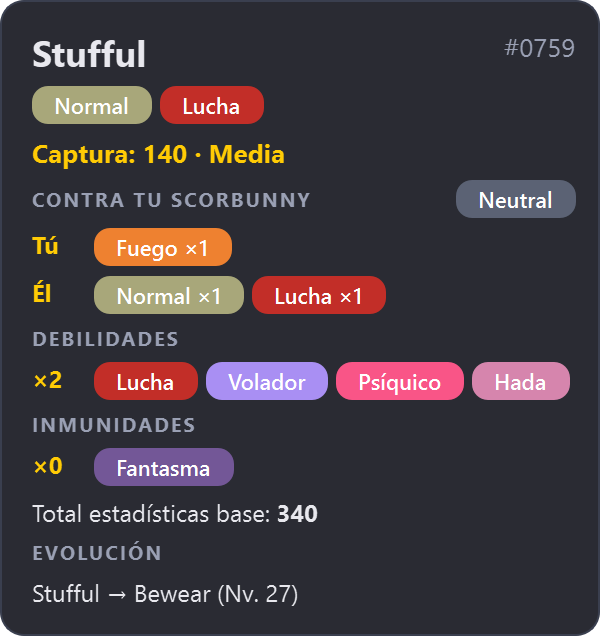
- Weaknesses, immunities and evolution
- Advantage / disadvantage against your Pokémon
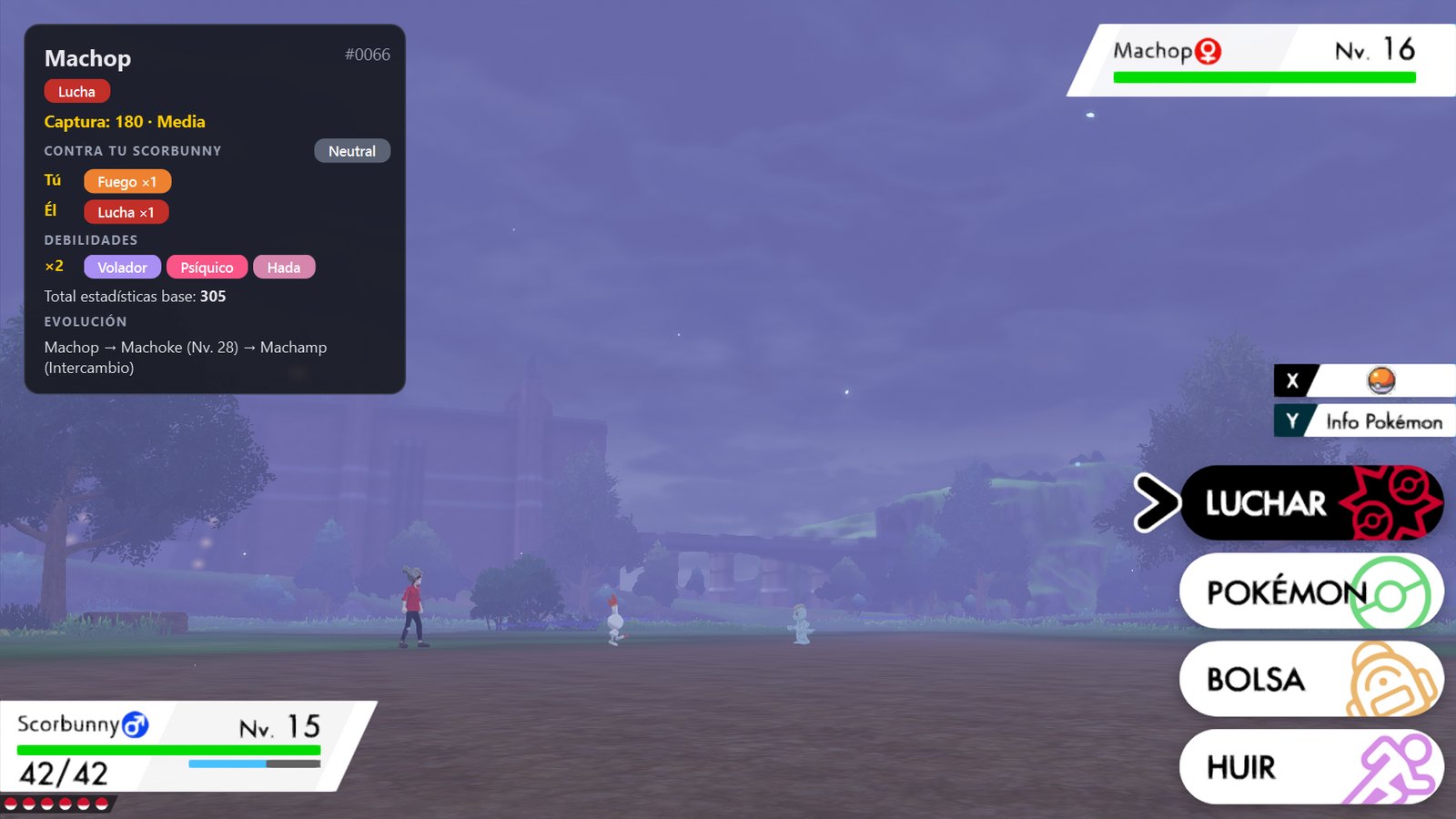
The moment a battle starts, BattleLens shows the opponent's types, weaknesses, stats, abilities and catch rate right next to your emulator. No alt-tabbing, no wiki, no guessing.
Why BattleLens
The card is already there when the battle starts.
How it works
mGBA, DeSmuME, melonDS, Citra, Switch emulators… BattleLens doesn't touch the game or its memory: it only looks at the window.
Pick a ready-made preset for your game, or draw a box around the opponent's name. BattleLens recognises the game from the window title and remembers it.
Every time a battle starts, the card pops up by itself and hides when the battle ends. No keys to press.
Two modes
Switch anytime with Ctrl+Alt+M.
Your team, too
Calibrate your Pokémon's name and the second opponent too: you get one card per opponent and an instant verdict for every turn.
For streamers
Turn on stream mode and add BattleLens to OBS as a browser source. The card shows up on a transparent background with every new opponent and hides when the battle ends.
Everything included
Reads the screen with Windows' own OCR, even when other windows cover the emulator.
GB, GBA, DS and Sword/Shield: BattleLens finds the game image and shows what it reads before you save.
Regional forms (Alola, Galar, Hisui, Paldea), past types, stats and the type chart of the game you're playing.
Rotom, Deoxys, Giratina, Mega Evolutions… cycle through the forms with Ctrl+Alt+F.
Interface in English or Spanish. Names, types, abilities and moves in English, Spanish, French, German and Italian.
All data ships with the app. The only connection is an optional daily update check.
Installer without admin rights, or a portable ZIP. It lives quietly in the system tray.
«Report a problem…» packs what BattleLens sees into a ZIP and opens a pre-filled GitHub form. Nothing is sent for you.
Other games work too: calibrate them manually in a few seconds.
FAQ
No. BattleLens only looks at the emulator window and reads the opponent's name with Windows' built-in OCR. That's why it works with any emulator and any generation.
Yes. It's open source under the MIT license, with no ads, accounts or paid tiers.
The executable isn't signed with a paid certificate. Click More info → Run anyway. You can verify the download against SHA256SUMS.txt from the release.
No. All Pokémon data ships with the app. The only connection is an optional daily check for new versions.
Almost every PC already has it for its language. If not, BattleLens tells you on startup and offers Install Windows OCR… from its menu.
Opponents are read by their species name, so yes. Your own Pokémon can't be recognised if it has a nickname; the opponent's card still works.
Windows 10 (2004 or later) or 11, 64-bit · Uses the OCR built into Windows